Build Interactive Experiences with Vū Studio's Creator Apps
Vū Studio: Create Presentations, Digital Experiences, Maps & More
Why jump between Figma, PowerPoint, Canva, and a dozen other tools when you can create presentations and digital experiences directly in Vū Studio?
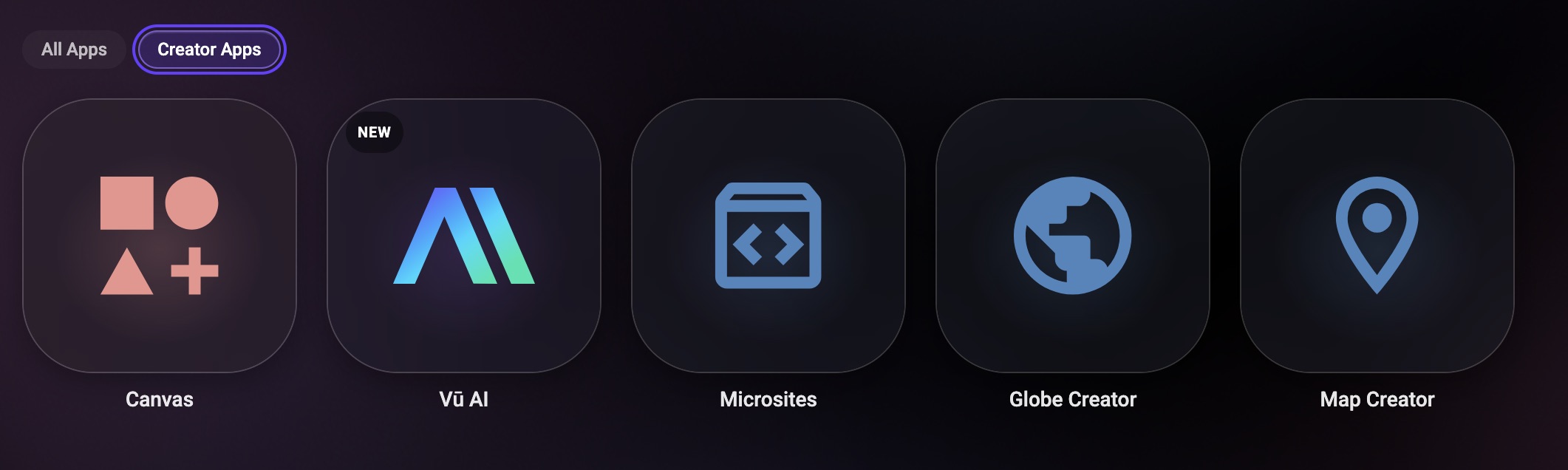
With Vū Studio’s Creator Apps, you can build presentations, interactive maps, 2D and 3D landscapes, microsites, digital signage, and non-linear experiences—all in one place. Combine video, images, web content, text, galleries, lighting, motion, and more, then customize how everything looks, moves, and works together.
What Can You Create With Vū Studio?
Whether you’re presenting to a client, training your team, launching a product, or showcasing your company, Creator Apps give you flexible ways to turn information into engaging digital experiences.
Showcase your global footprint. Use Globe Creator to build a visual map of your office locations, customers, projects, or areas of expansion. Give your audience a new way to explore where your company operates.
Showcase products and information. Use 2D and 3D Maps to highlight products, features, locations, or other important information. You can even create a visual hub where employees can access internal training videos and resources.
Build a better presentation. Use the Canvas tab to create cohesive presentations or non-linear presentations that bring your media together. Connect images, video, lighting, motion, web content, and more without switching between multiple presentation and design tools.
Turn proposals into experiences. Use Microsites to replace static presentation decks and proposal documents with a digital experience that brings your work, capabilities, videos, and key information together in one place.
A Presentation Tool Built for More
Vū Studio gives you the creative flexibility of tools like PowerPoint, Canva, and Figma, while adding capabilities designed for dynamic presentations, digital signage, LED displays, and immersive experiences.
Instead of creating content in one tool and figuring out how to get it onto your displays later, you can build and preview everything in Vū Studio, then easily cast it to your connected displays.
From presentations and product showcases to training experiences and digital signage, Vū Studio gives teams one place to create, connect, and deliver content.
To learn more about the Canvas tab and Creator Apps, visit [HERE].